CES Portalcoordinated care
One platform that connects non-profit agencies, the people they serve and the administrators who run the network — so housing and support services stop living in spreadsheets and inboxes.
At a glance
- 01The problem
Non-profits helping the same people kept separate records, so referrals got lost and intake was repeated.
- 02What I did
Designed three connected portals — agency, participant and admin — as one system: 133 screens across 37 mapped flows.
- 03The result
A developed platform where agencies join, refer, schedule and report in one place, built on shared patterns.
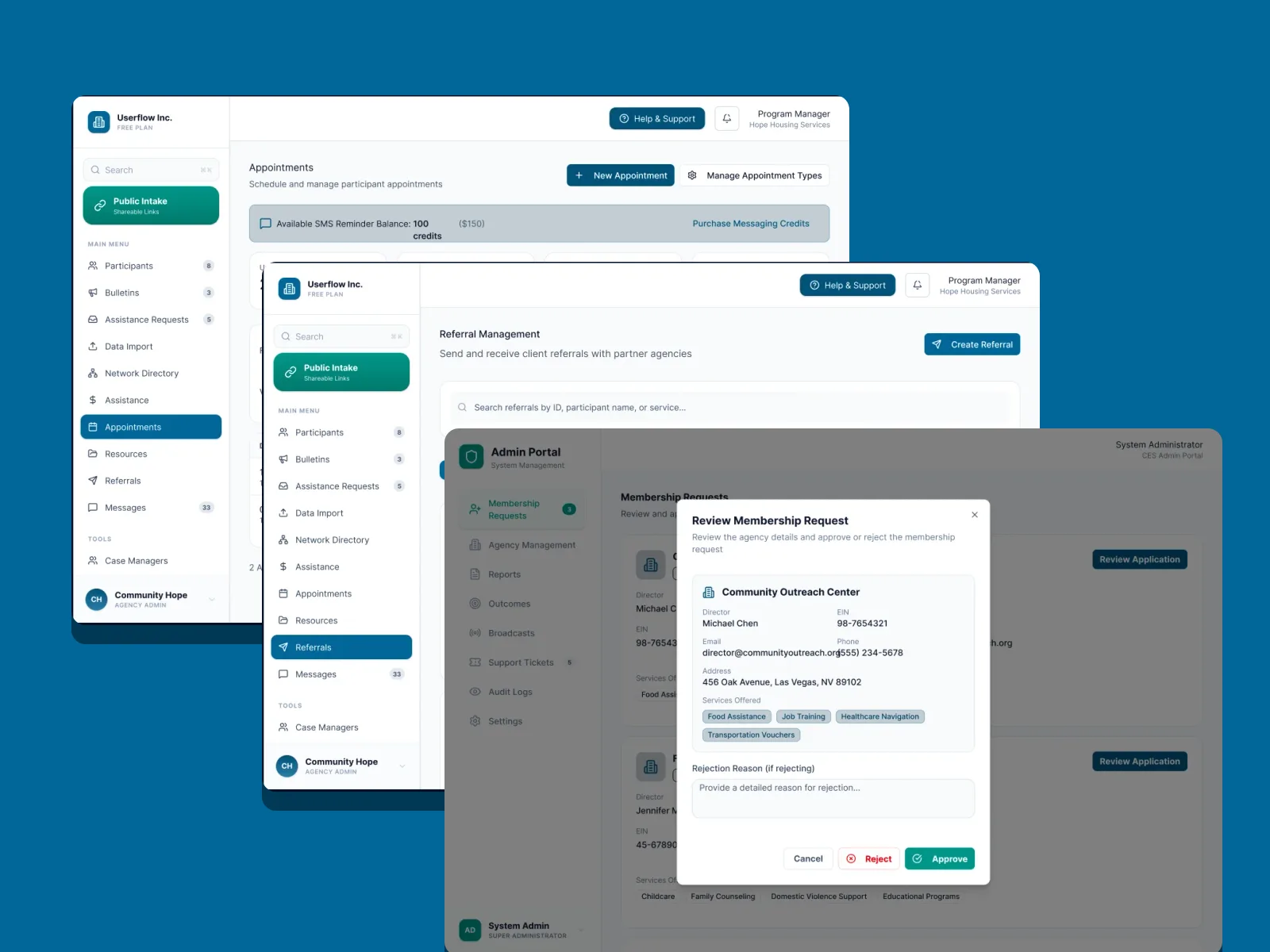
Many agencies, one person — and no shared picture.
Someone experiencing homelessness is often helped by several non-profits at once: one for shelter, another for rental assistance, another for healthcare navigation. Each keeps its own records, so referrals get lost, intake is repeated and nobody can see the whole journey. CES Portal gives that network a single place to work together.
Design three very different products — for caseworkers, for the people they serve, and for the network admins — that still feel like one system.
- 01Make referrals between agencies trackable end to end
- 02Keep participant data private, consented and in one record
- 03Give admins a fair, auditable way to vet member agencies
Three portals, one system.
Agency portal
The caseworker's workspace: participants, referrals, case managers, assistance, appointments, resources, analytics and shareable public intake links.
Participant portal
For the people being served: service requests and history, documents, appointments, messages, and explicit privacy and consent controls.
Admin portal
For the network: membership approvals, agency management, outcomes, reports, broadcasts, support tickets and an audit log.
Joining the network in four steps.
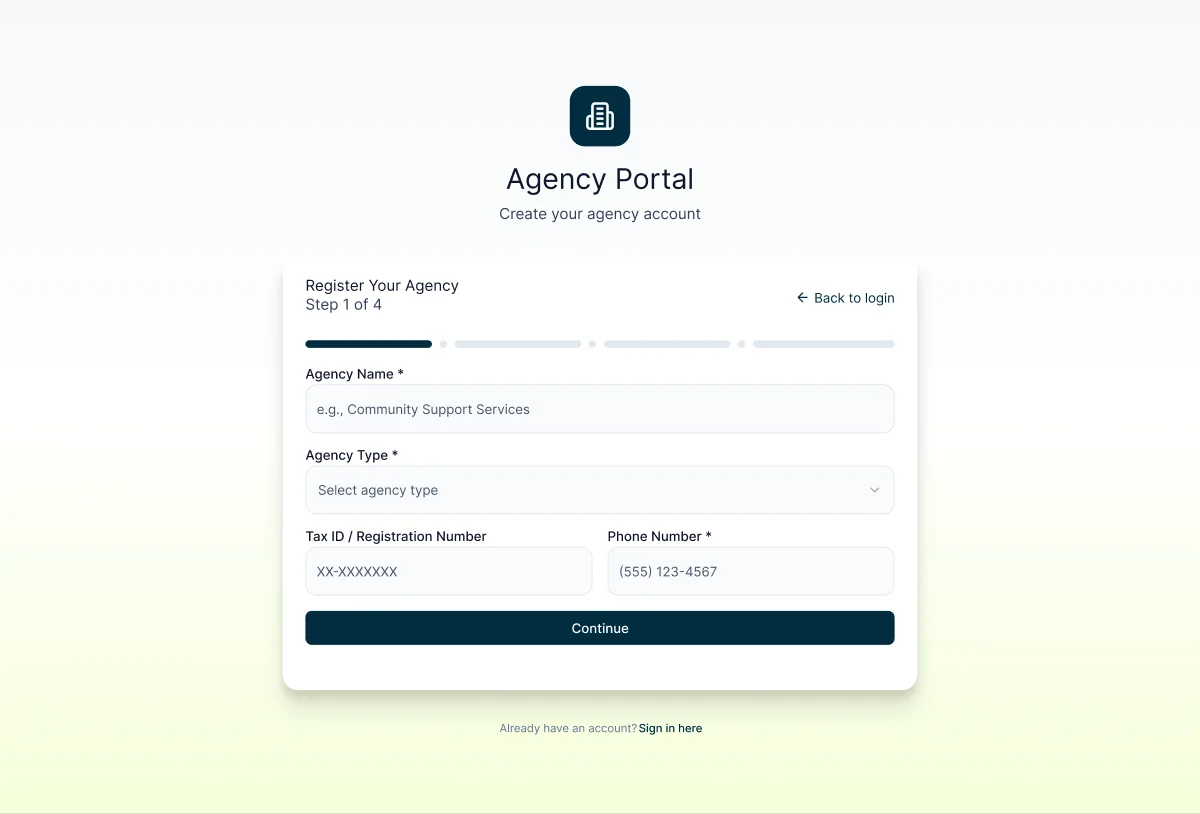
Step 1 · The basics
A short first step — name, type, tax ID, phone — with a segmented progress bar so agencies always know how much is left.
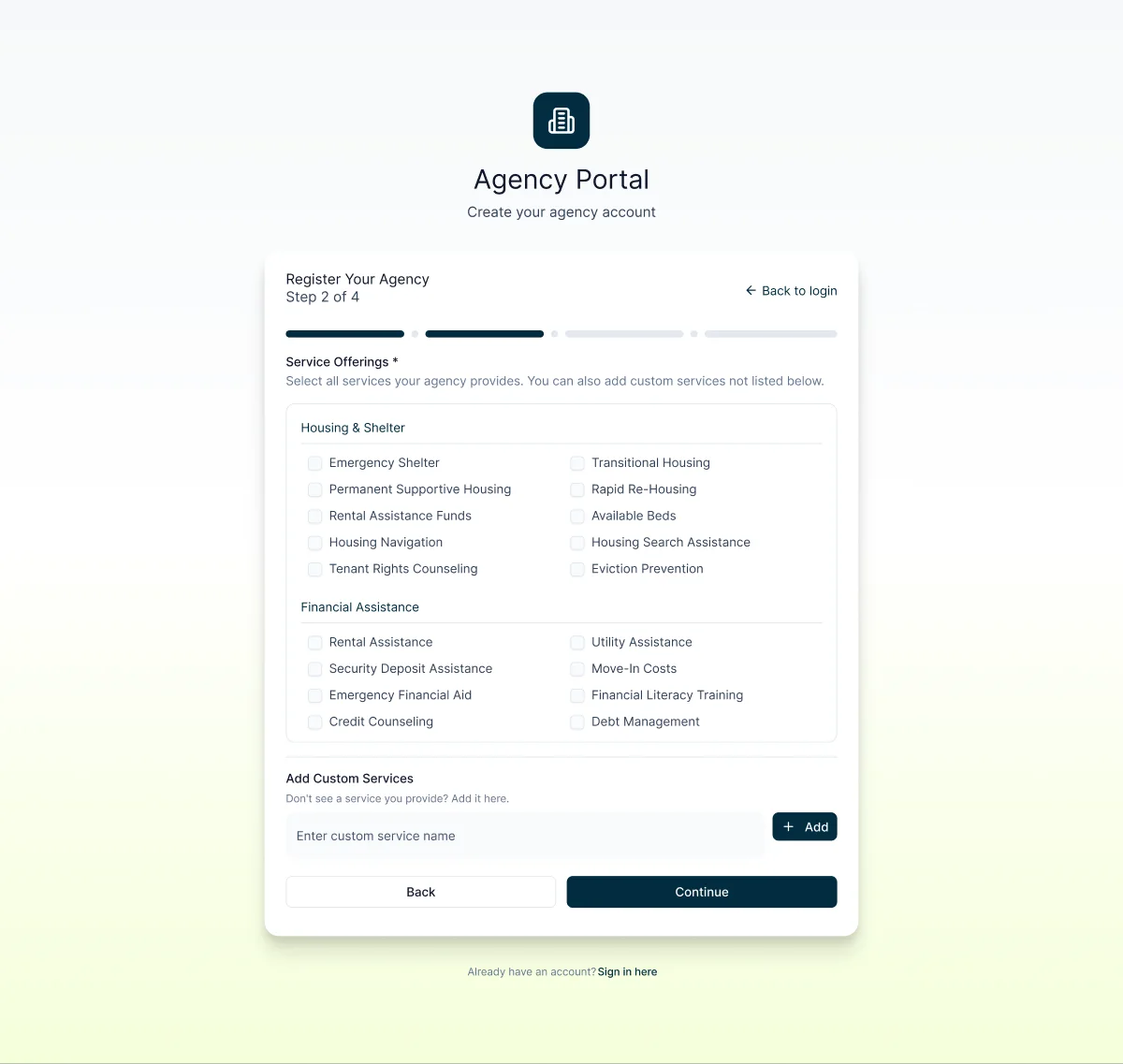
Step 2 · What you offer
Services grouped by category, plus a custom field. These tags later power referral matching and the network directory.
Every agency is reviewed, not just accepted.
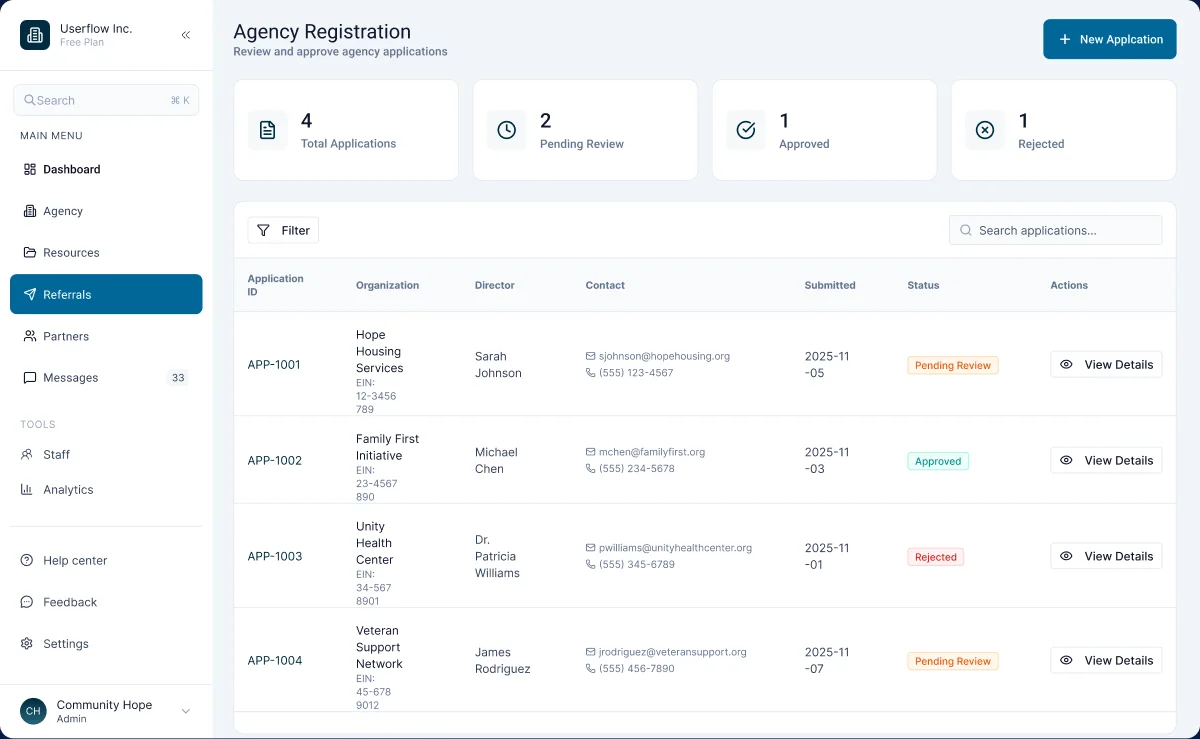
Application queue
Totals up top, then one row per application with director, contact and a colour-coded status — pending, approved or rejected.
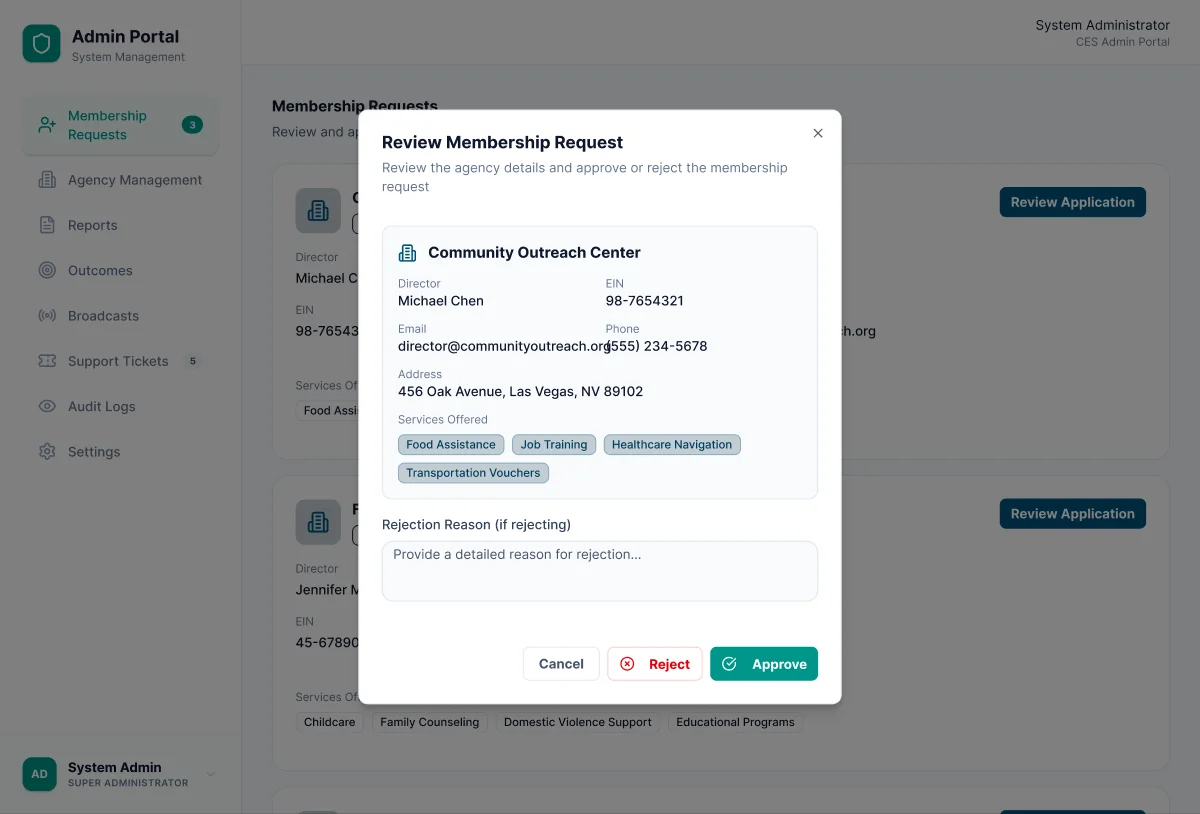
Approve or reject — with a reason
The full agency record in one modal. Rejecting asks for a written reason, so decisions stay fair and auditable.
How the network works together
Join → Intake → Refer → ReportJoin
An agency registers and an admin approves it into the network.
Intake
Participants arrive through public intake links or a caseworker.
Refer
Agencies send and accept referrals, book appointments and message.
Report
Outcomes and analytics roll up to admins across the whole network.
Built for busy caseworkers.
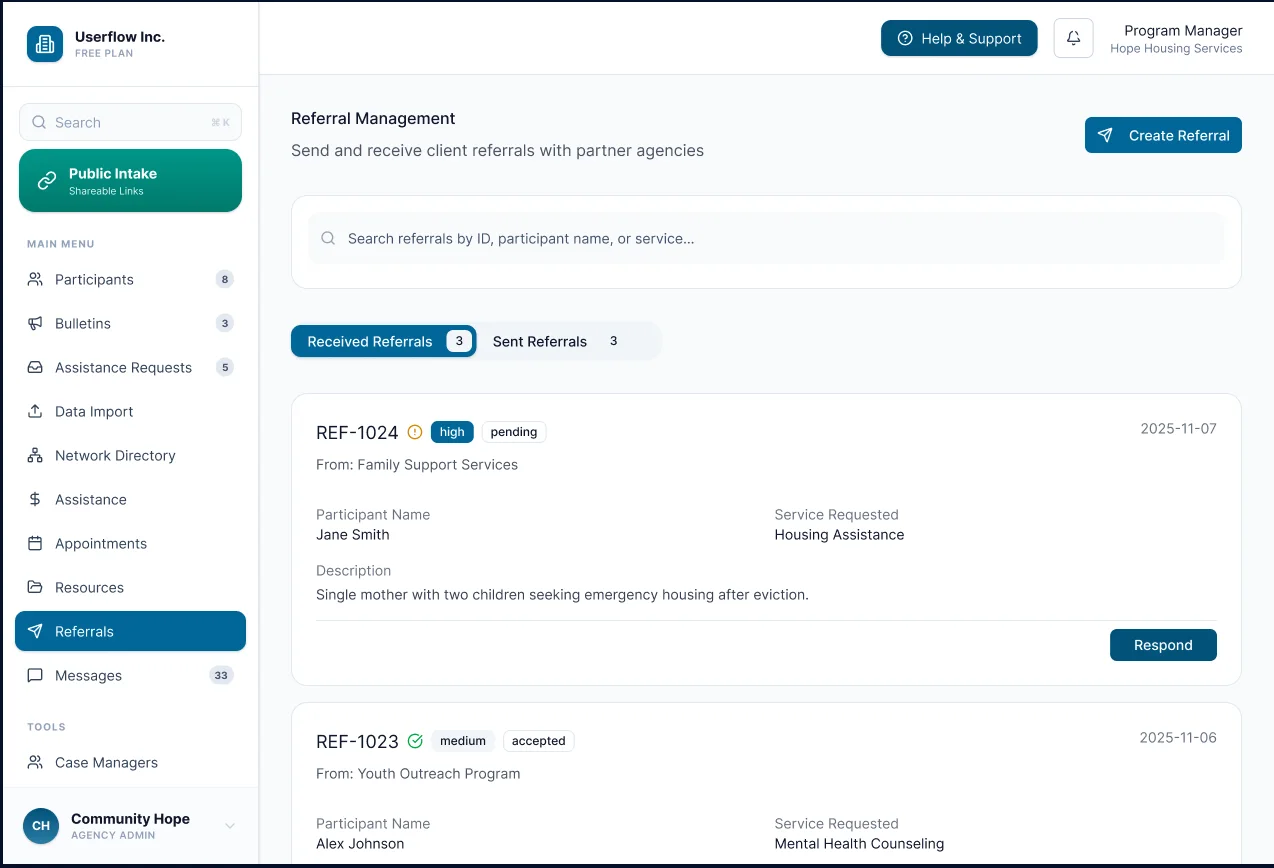
Referrals
Received and sent in two tabs. Each referral carries priority, status, the sending agency and the service requested — with one clear Respond action.
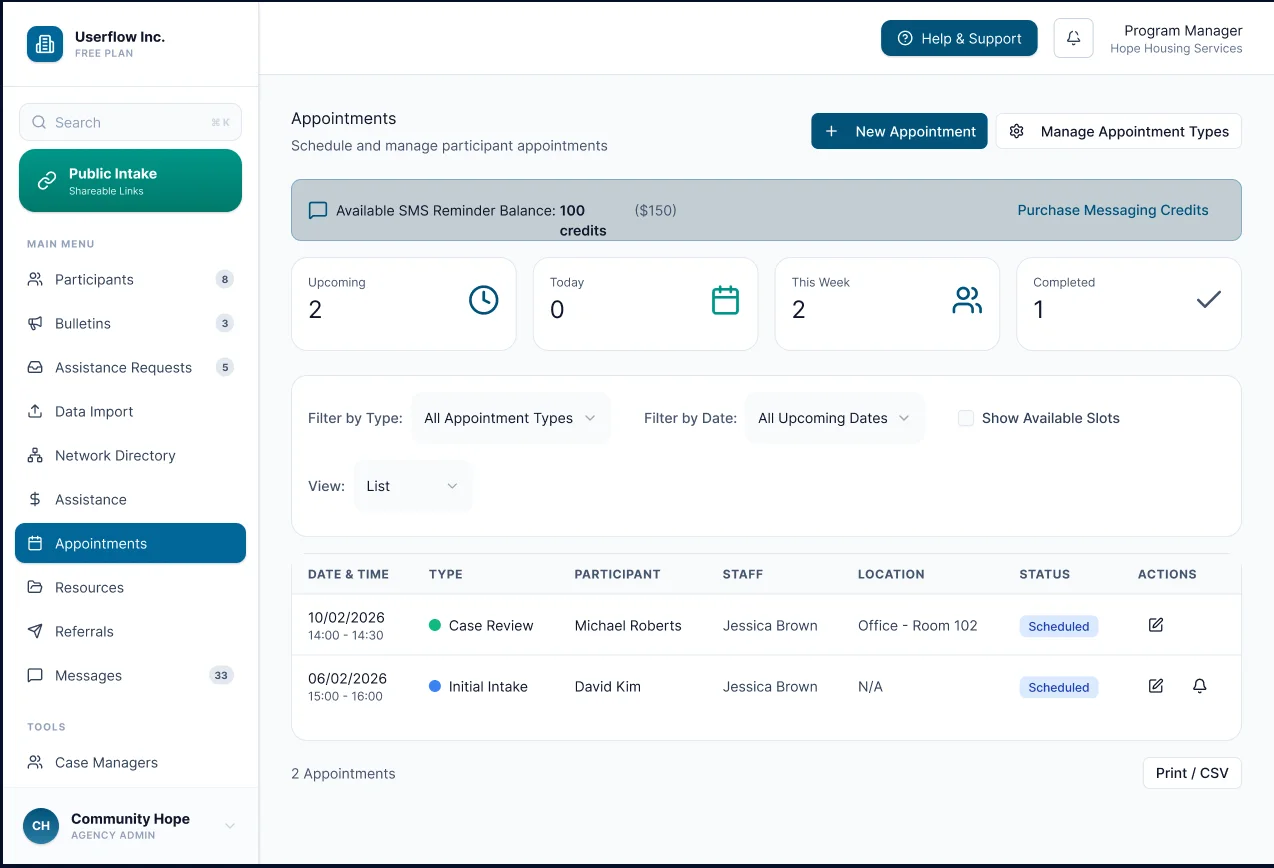
Appointments
Today, this week and completed at a glance, filters for type and date, SMS reminder credits in view, and a CSV export for reporting.
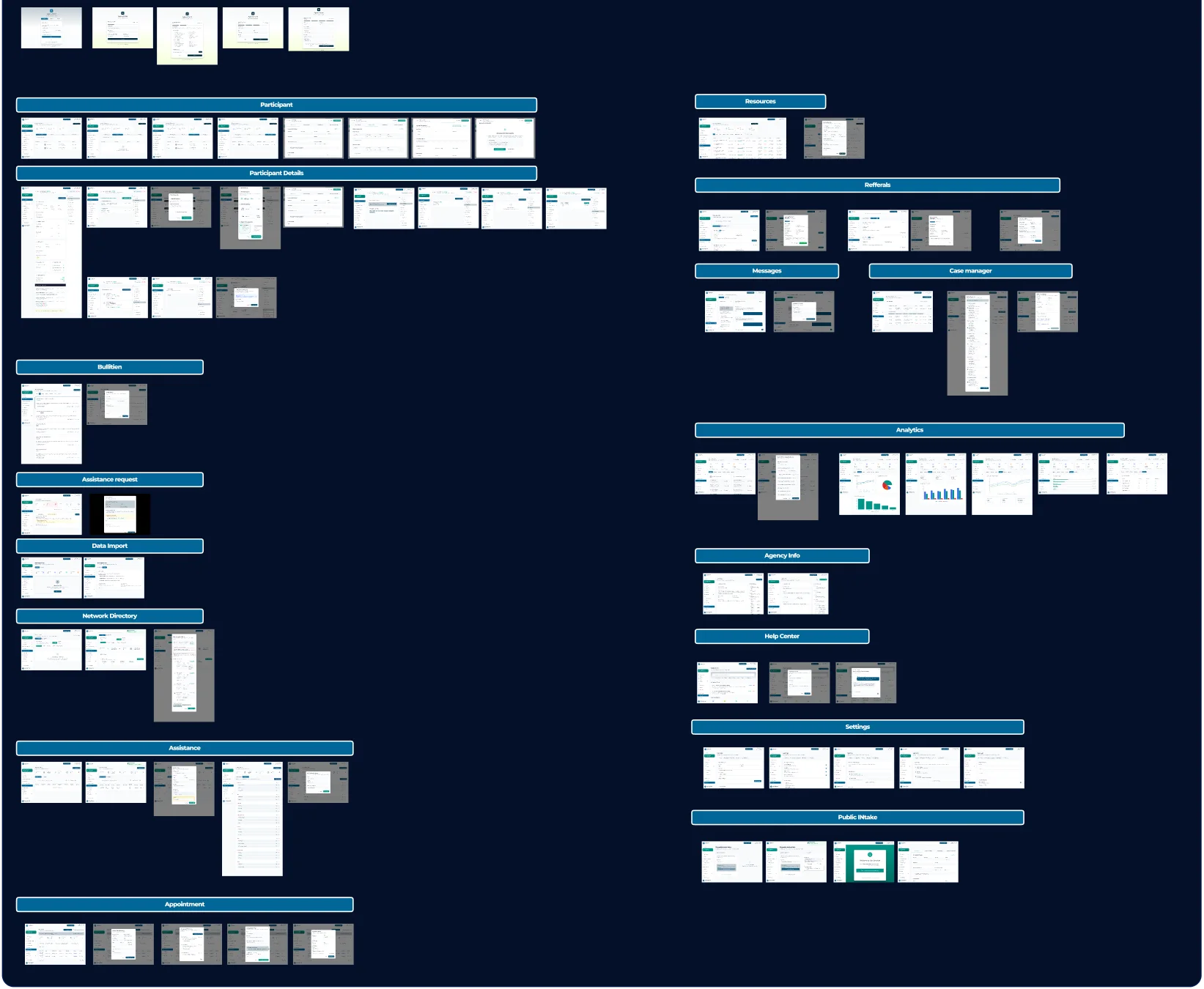
133 screens, mapped flow by flow.
Every screen lives inside a named flow, so the system can grow without losing its shape. Shared sidebars, status pills, tables and modals keep the three portals consistent.
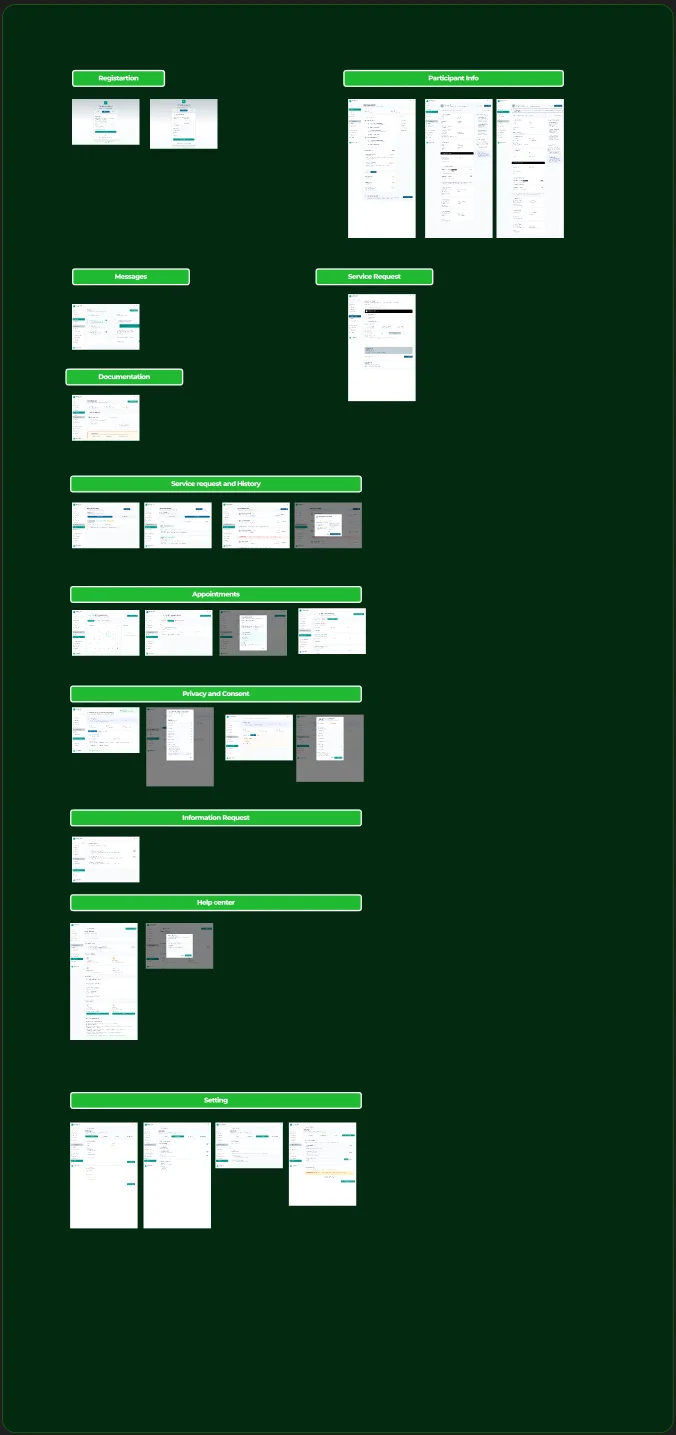
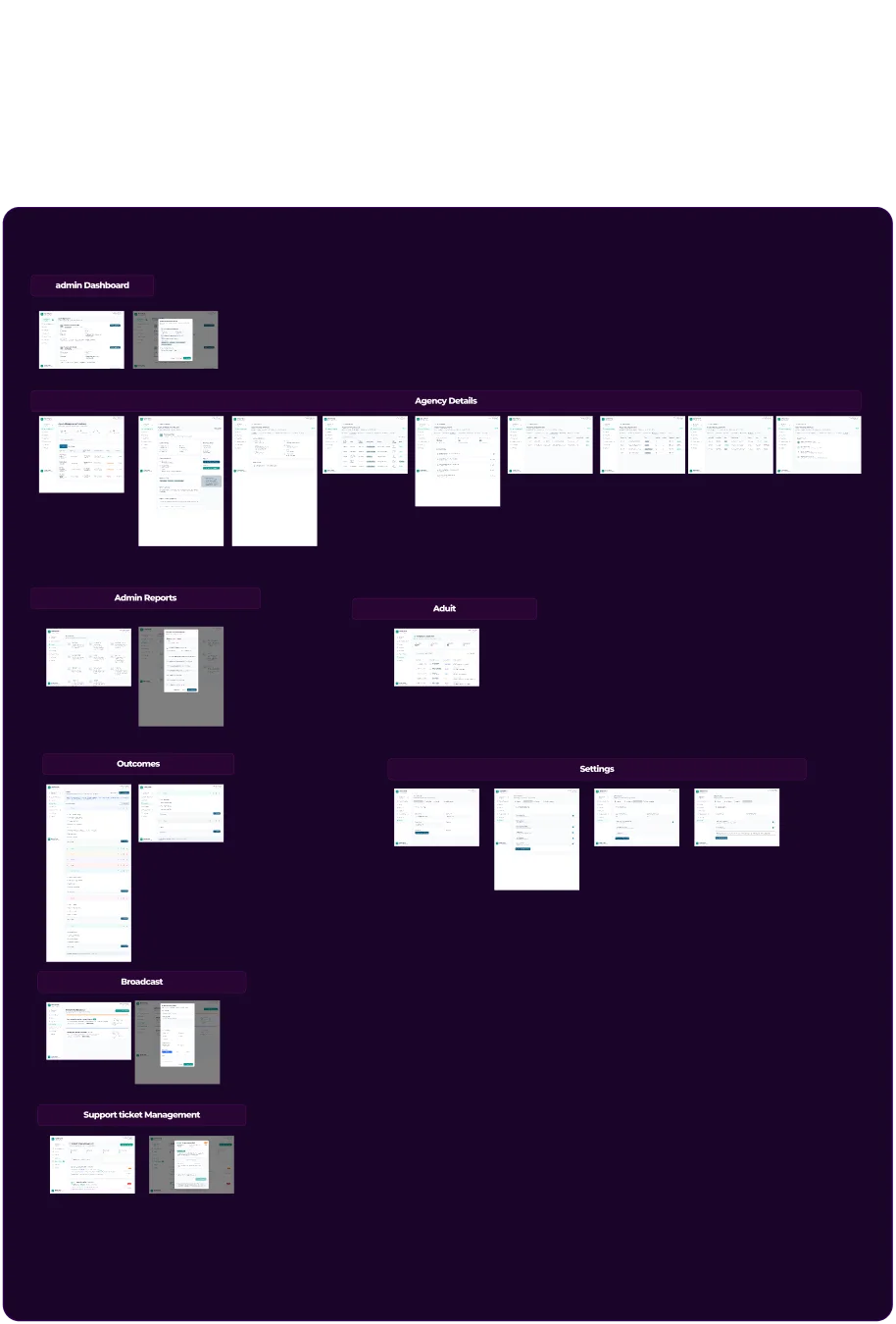
Calm by default, loud only for status.
A single ocean-blue scale carries navigation and primary actions; a red scale is held back for errors and rejections. Everything else stays on a quiet white-and-grey canvas so long tables stay readable, with Material Symbols for a consistent icon language.
- One sidebar per portal, with live counts on each section
- Status pills: pending, approved, rejected, scheduled
- Summary cards above every working table
- Modals for decisions, with reasons where it matters
How should admins approve new agencies?
Joining the network gives an agency access to vulnerable people's data, so every decision has to be defensible. A required reason keeps rejections fair to the applicant and auditable for the network, at the cost of a few extra seconds per review.
Designed, handed off, and built.
All three portals were designed as one system — mapped flow by flow, with shared sidebars, tables, status pills and decision modals — and taken through to a developed platform the agency network can work in together.