Muhammad BazilResume ↗
Back to home
Case study · MobileFintech · Trading

Broker trading app

A Pakistan Stock Exchange app that takes a first-time investor from download to their first trade — with ID checks that don't feel like paperwork.

RoleProduct Designer
PlatformMobile app
ScopeOnboarding, KYC, trading
MarketPakistan Stock Exchange

At a glance

The 30-second version
  1. 01The problem

    Opening a brokerage account in Pakistan means CNIC checks, income proof and NCCPL biometrics — a lot to ask before someone has even seen a stock.

  2. 02What I did

    Designed the full journey: onboarding, a two-path account setup, ID and income verification, then markets, watchlist, analytics and trade logs.

  3. 03The result

    One continuous flow from first launch to first order, with every verification step explained in plain language before it's asked for.
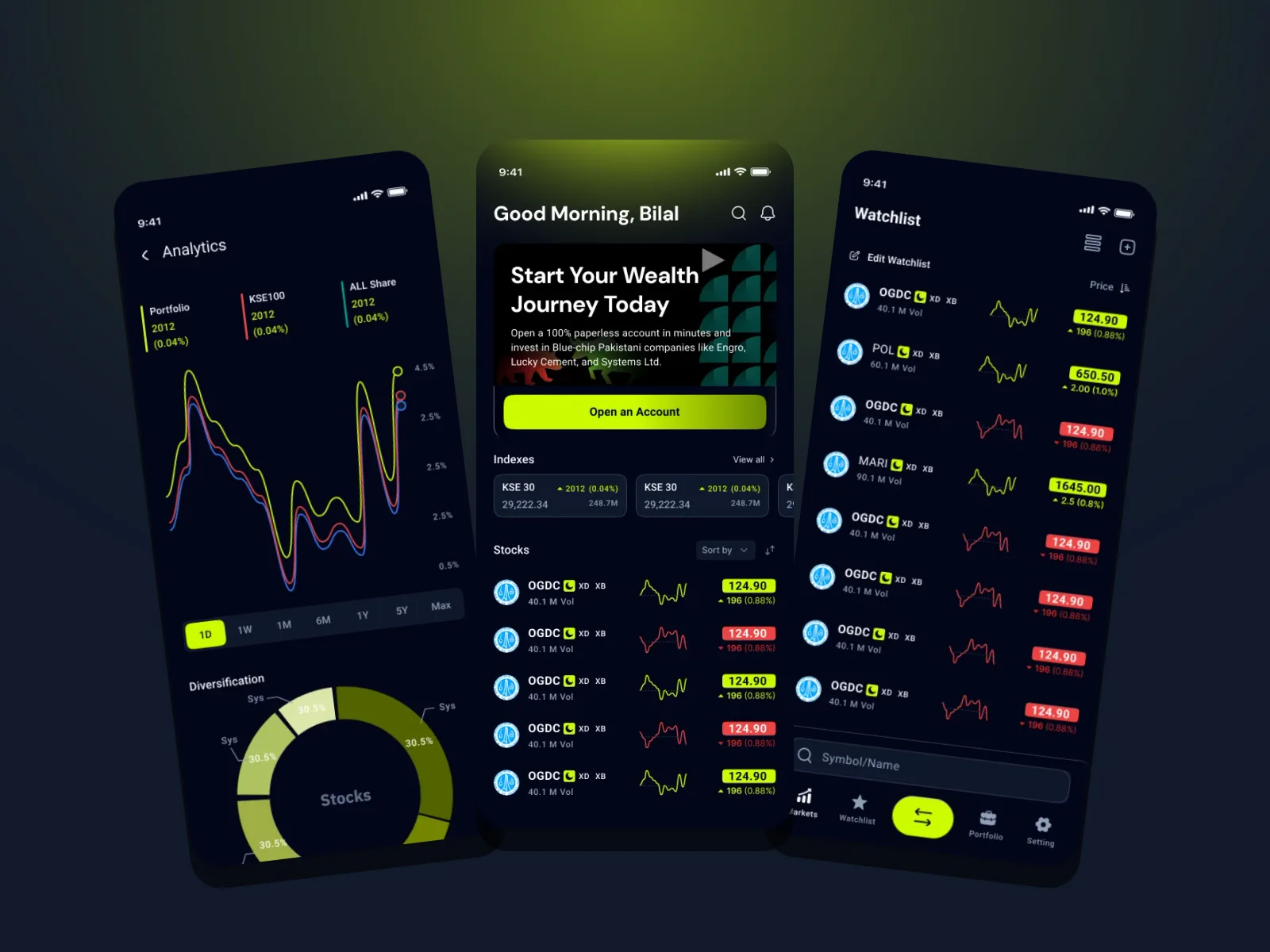
Broker app screens: analytics, markets home and watchlist
2Account paths: Sahulat and Normal
20Screens from sign-up to trade logs
5Tabs, with trading one tap from anywhere
01 · Context

Most people quit before their first trade.

Investing on the PSX starts with regulation: a CNIC, photos of both sides, sometimes income proof, then biometric verification with NCCPL. Each step is reasonable on its own, but stacked together and unexplained they turn a curious first-time investor into an abandoned sign-up.

  1. 01Get beginners to a working account with the least possible friction
  2. 02Make every verification step feel guided, not bureaucratic
  3. 03Keep live market data calm and readable on a small screen
02 · Onboarding & KYC

Verification, one clear step at a time.

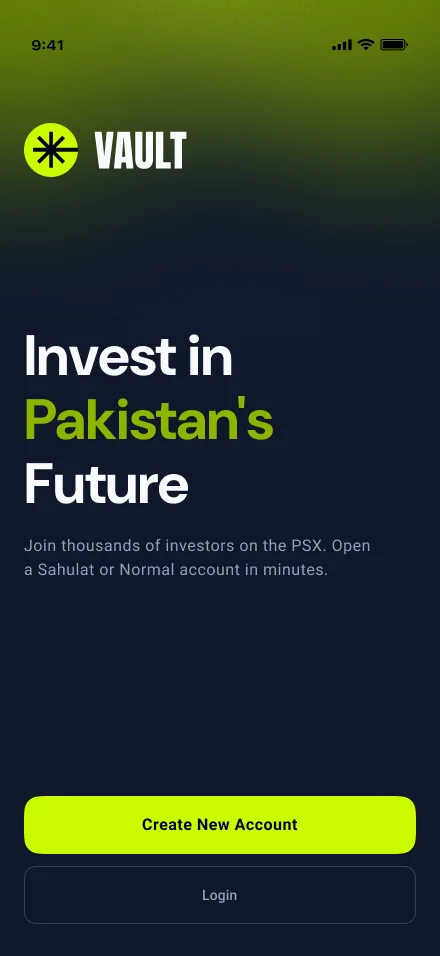
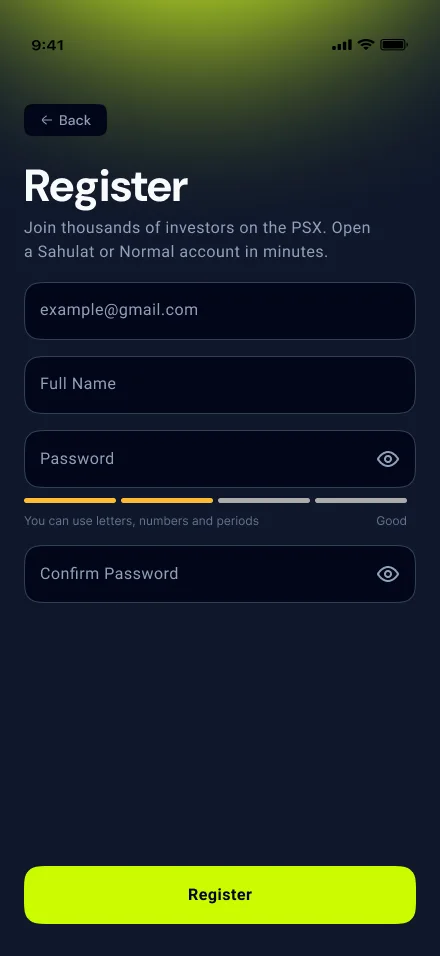
A three-part progress bar, a single decision per screen and a lime primary action that never moves. Photos are shown back before submitting, and the success screen explains what happens next — approval and biometrics — instead of leaving people guessing.
Welcome screen: invest in Pakistan's future, with create account and login buttons
WelcomeOne promise — invest in Pakistan's future — and two clear doors: create an account or log in.
Registration form with email, name, password strength meter and confirm password
RegisterFour fields and a live password-strength meter, nothing else.
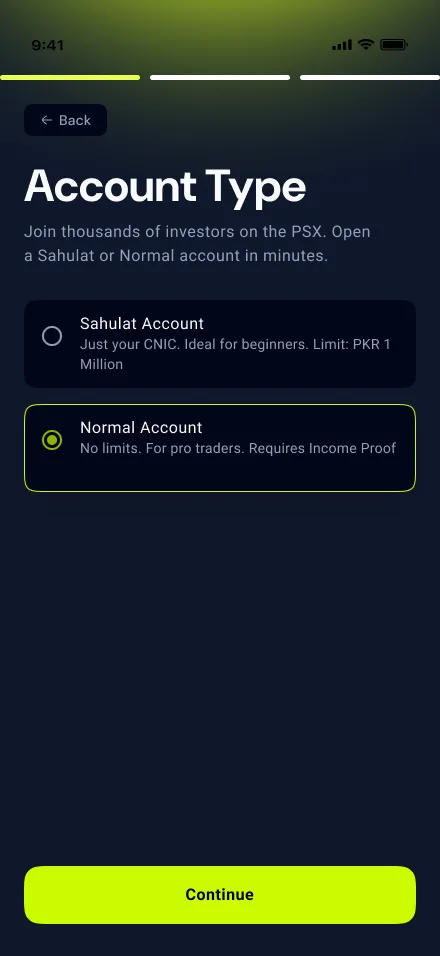
Account type choice between Sahulat and Normal accounts
Account typeSahulat or Normal, with the trade-off in one line each.
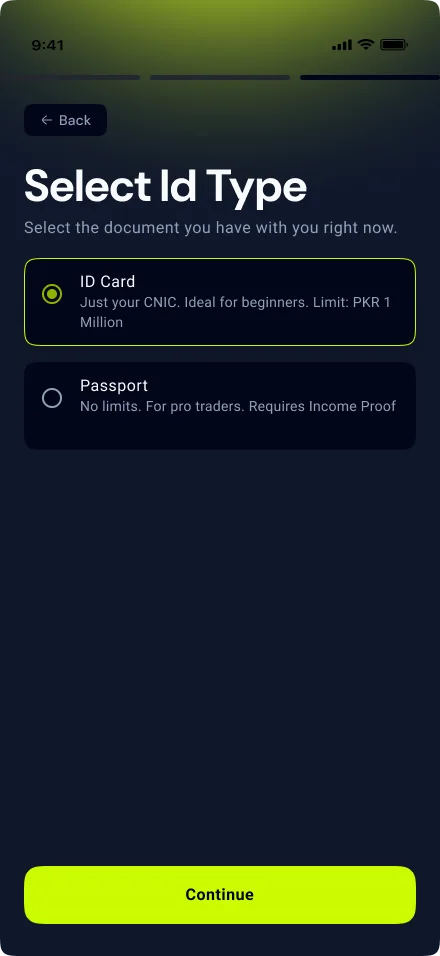
Select ID type: national ID card or passport
ID typePick the document you actually have with you right now.
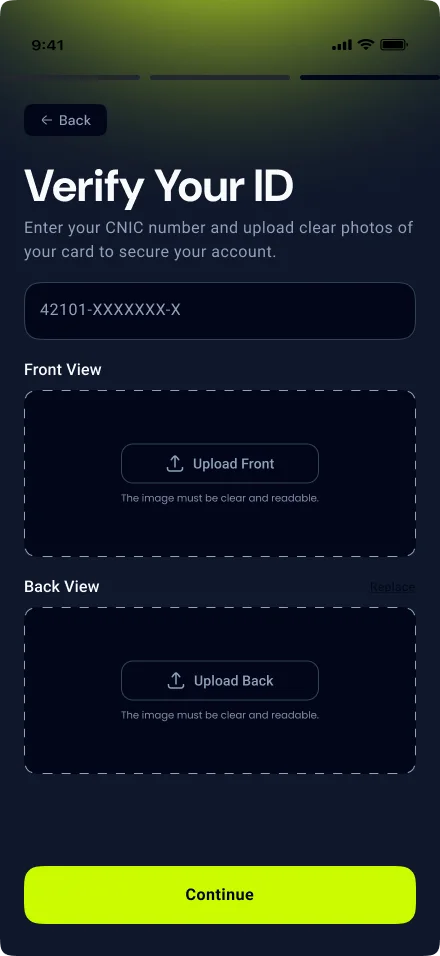
Verify your ID screen with empty front and back upload areas
Verify IDCNIC number, then front and back photos in clear upload zones.
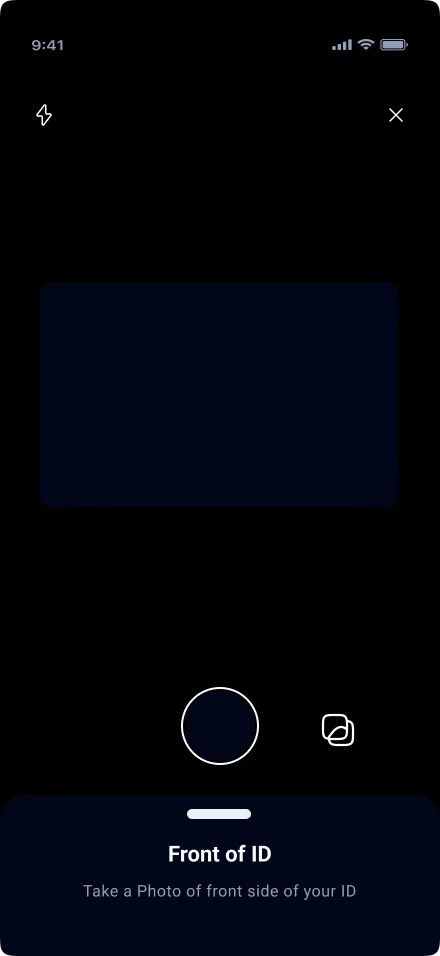
Camera screen framing the front of an ID card
CaptureA guided camera frame for each side of the card.
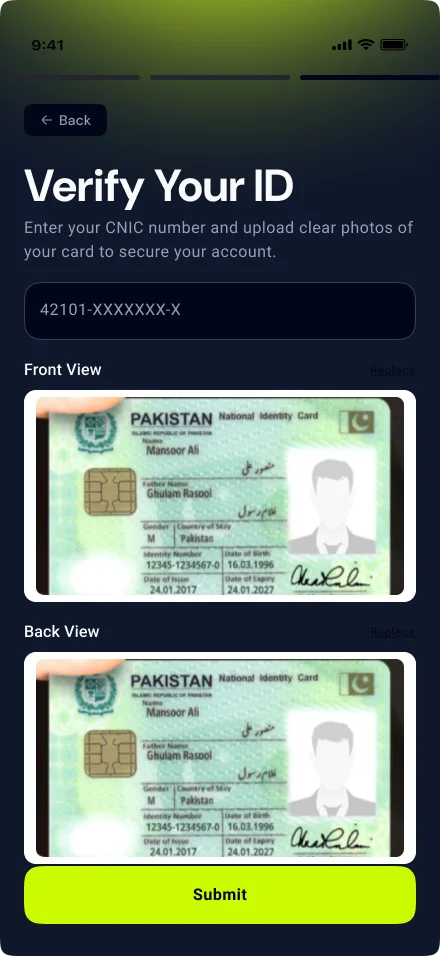
Verify your ID screen with both card photos uploaded
ReviewBoth sides shown back before submitting, with Replace on each.
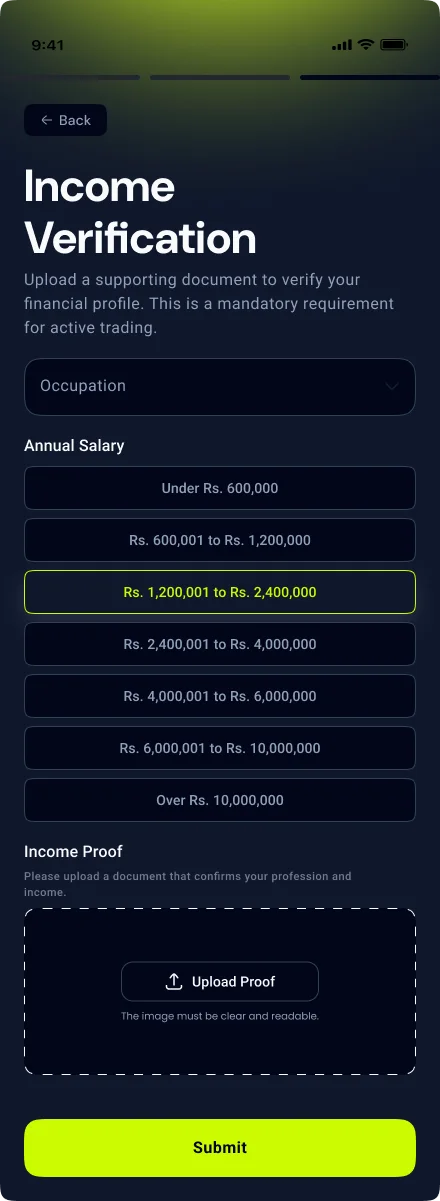
Income verification with occupation, annual salary bands and proof upload
Income proofOnly on the Normal path: salary band and one supporting document.
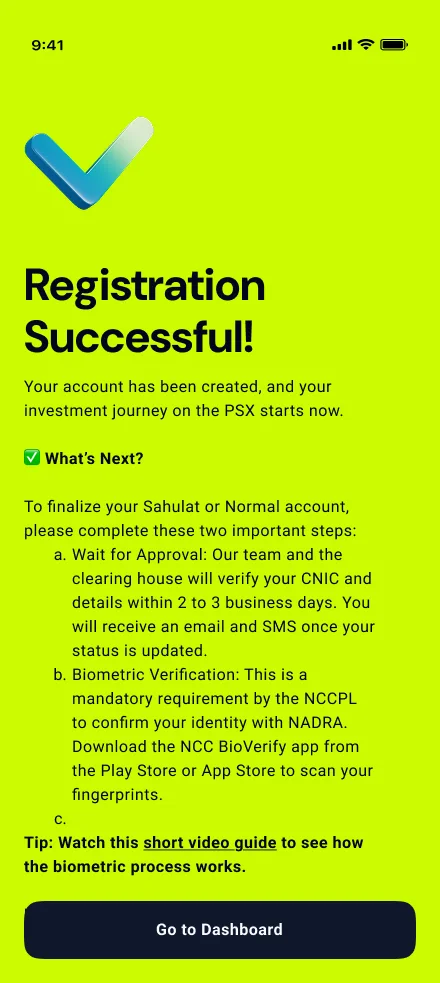
Registration successful screen explaining approval and biometric verification steps
What's nextApproval and NCCPL biometrics explained before the user leaves.
03 · Key decision

How much should a beginner have to prove before they can invest?

Option A · Rejected

One full KYC for everyone

Ask every user for CNIC photos, income proof and documents up front, whatever they plan to invest.

Option B · Chosen

Two paths, explained up front

Let people choose Sahulat (CNIC only, up to PKR 1 million) or Normal (no limits, income proof) on the first setup screen, with the trade-off in one line each.

Why

Most first-time investors start small. Making income proof optional for them removes the heaviest step from the path to a first trade, while active traders still get an unlimited account — and nobody hits a surprise requirement halfway through.

04 · Trading

Dense market data, calm on a phone.

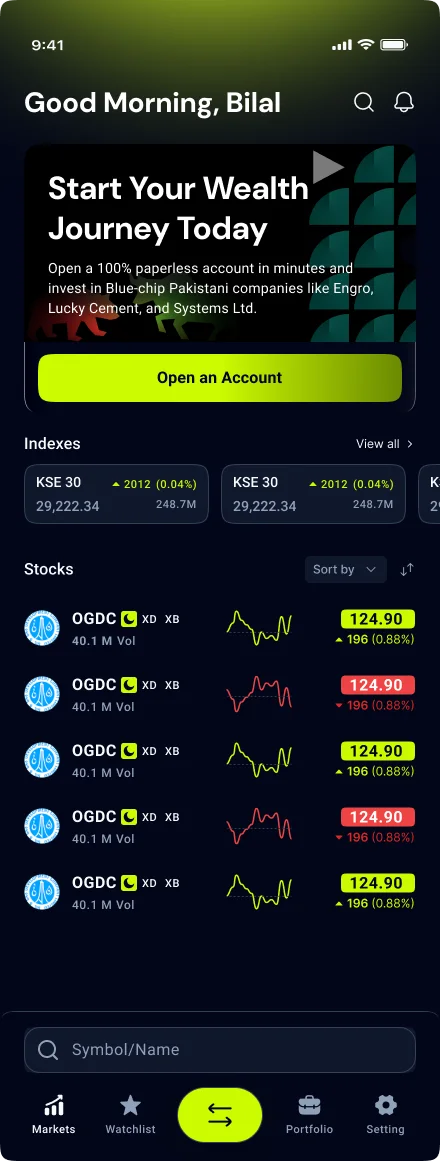
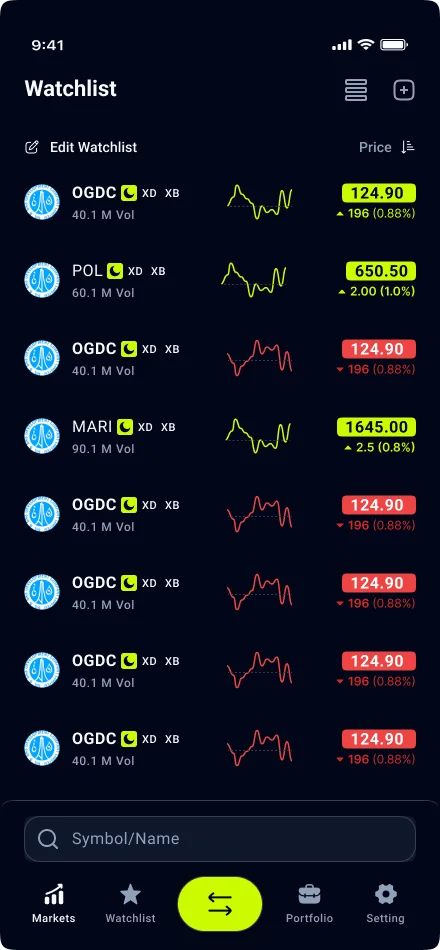
One row pattern — logo, symbol, volume, sparkline, price — carries through Markets and Watchlist. Gains are lime, losses are red, and the trade button sits in the centre of the tab bar, one tap from anywhere.
Markets home with indexes and a stock list with sparklines and price changes
MarketsIndexes, then stocks with sparklines and colour-coded change — red and lime readable at a glance.
Watchlist of stocks with sparklines and price tags
WatchlistThe same row pattern as Markets, so tracked stocks feel familiar.
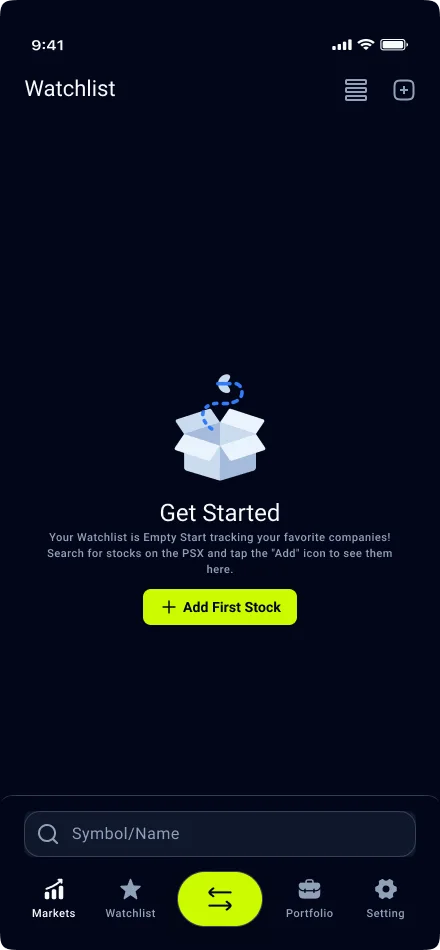
Empty watchlist state with an add first stock button
Empty watchlistNo dead end — one button to add the first stock.
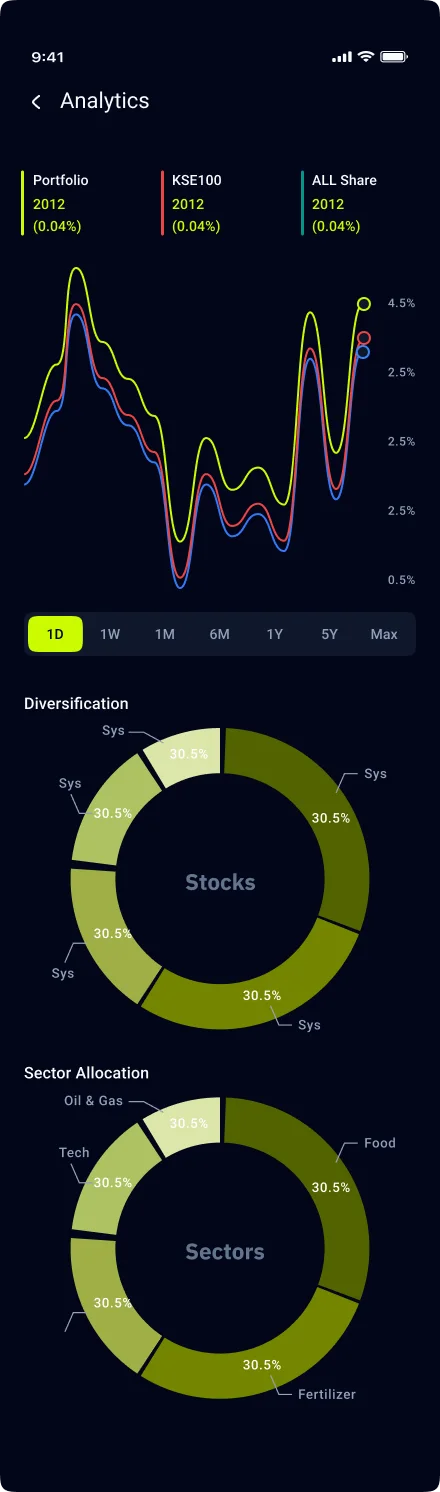
Analytics with portfolio versus index chart and allocation donuts
AnalyticsPortfolio against KSE100 and All Share, plus stock and sector allocation.
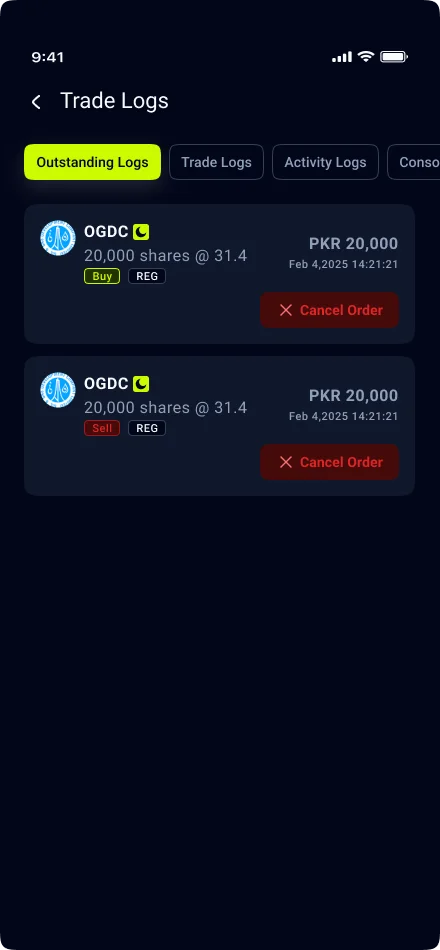
Trade logs showing outstanding buy and sell orders with cancel buttons
Trade logsOpen orders with side, quantity and price — and Cancel within reach.
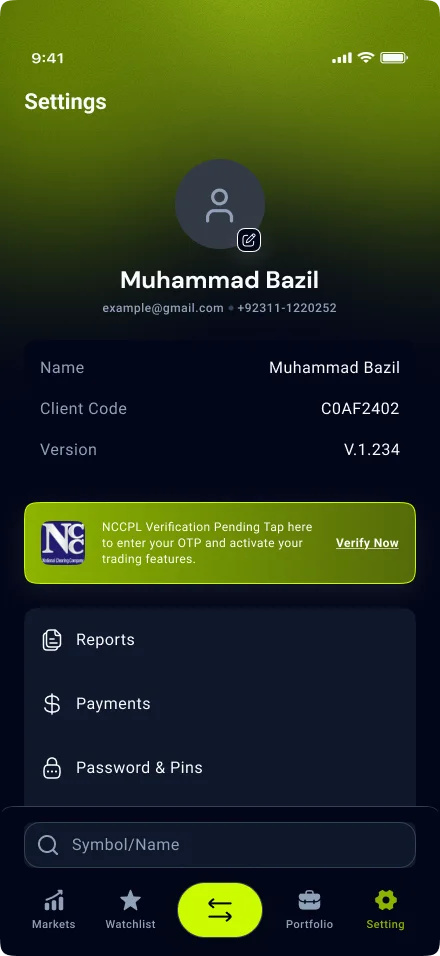
Settings with profile details and an NCCPL verification pending banner
SettingsAccount details, with the pending NCCPL verification surfaced as the next action.

From download to first trade

Join → Verify → Watch → Trade
01

Join

Register in four fields and choose the account path that fits.

02

Verify

Capture ID, add income proof if needed, and see what approval involves.

03

Watch

Follow indexes and build a watchlist while the account is approved.

04

Trade

Place orders from the centre tab and manage them in trade logs.

05 · Visual system

Night-mode navy, one electric accent.

A deep navy canvas keeps long sessions comfortable, and a single lime carries every primary action and every gain. Red appears only for losses, sells and cancellations, so colour always means something.

Navy#0F172BCanvas
Lime#CCFB01Actions · gains
Red#E34A4ALosses · sells
Ink#020619Cards · tab bar
06 · Outcome

Regulated, without feeling it.

The result is one continuous journey — from first launch, through two account paths and guided verification, to markets, analytics and order management — where every requirement is explained before it's asked for and the next step is always the lime button at the bottom.

Next case study · Fintech · MobileZar by Sarmaaya
(Contact)

Let's build
something great.

Book a callbazilwattoo9@gmail.com
Phone+92 311-1220252Based inIslamabad, PakistanTime zonePKT · UTC+5